DXF Viewer & Editor
Open DXF drawings, inspect geometry and continue editing without installing desktop CAD software.
Open, edit, draw, dimension and export DXF files in a focused browser-based CAD workspace — fast to launch, precise to use, and ready for technical work.
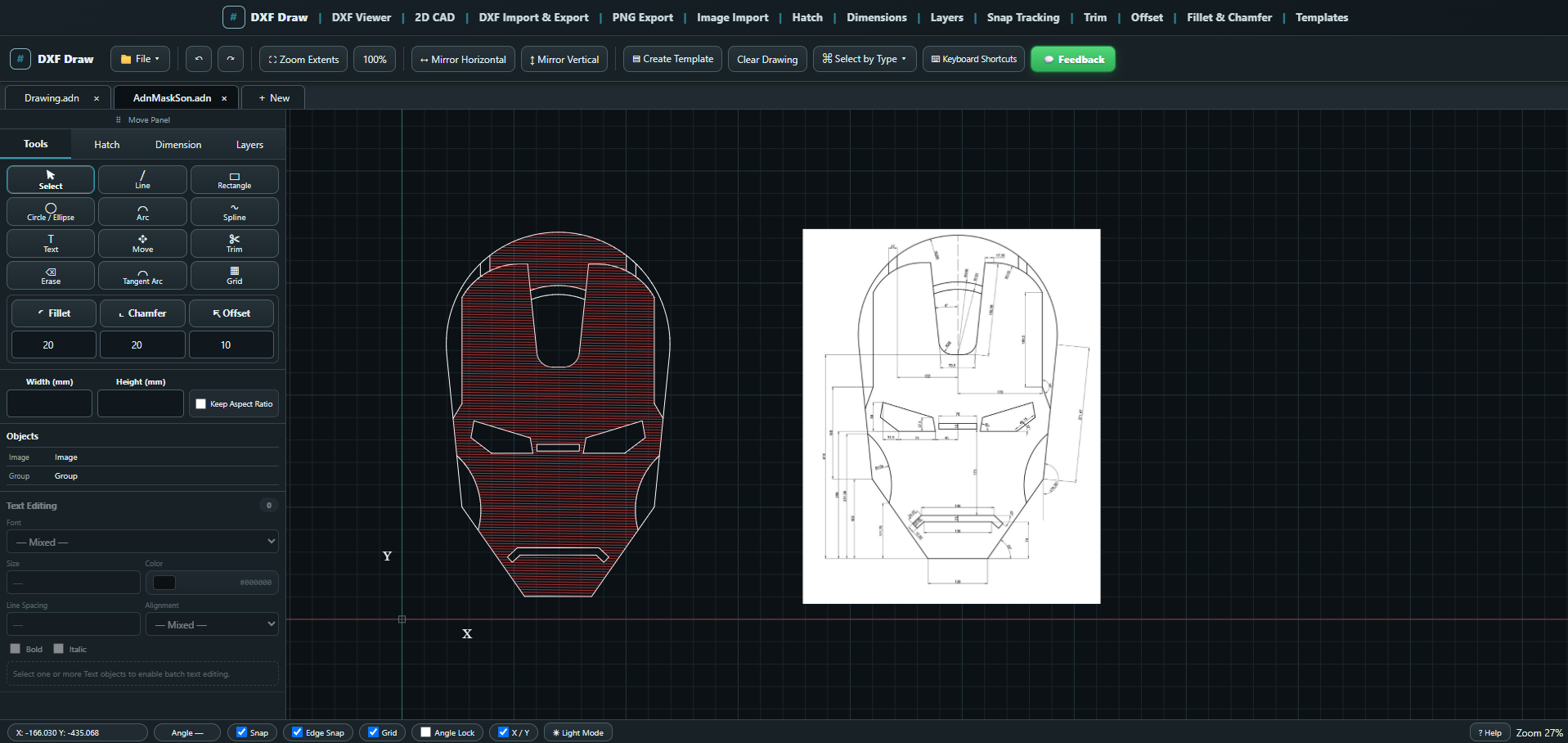
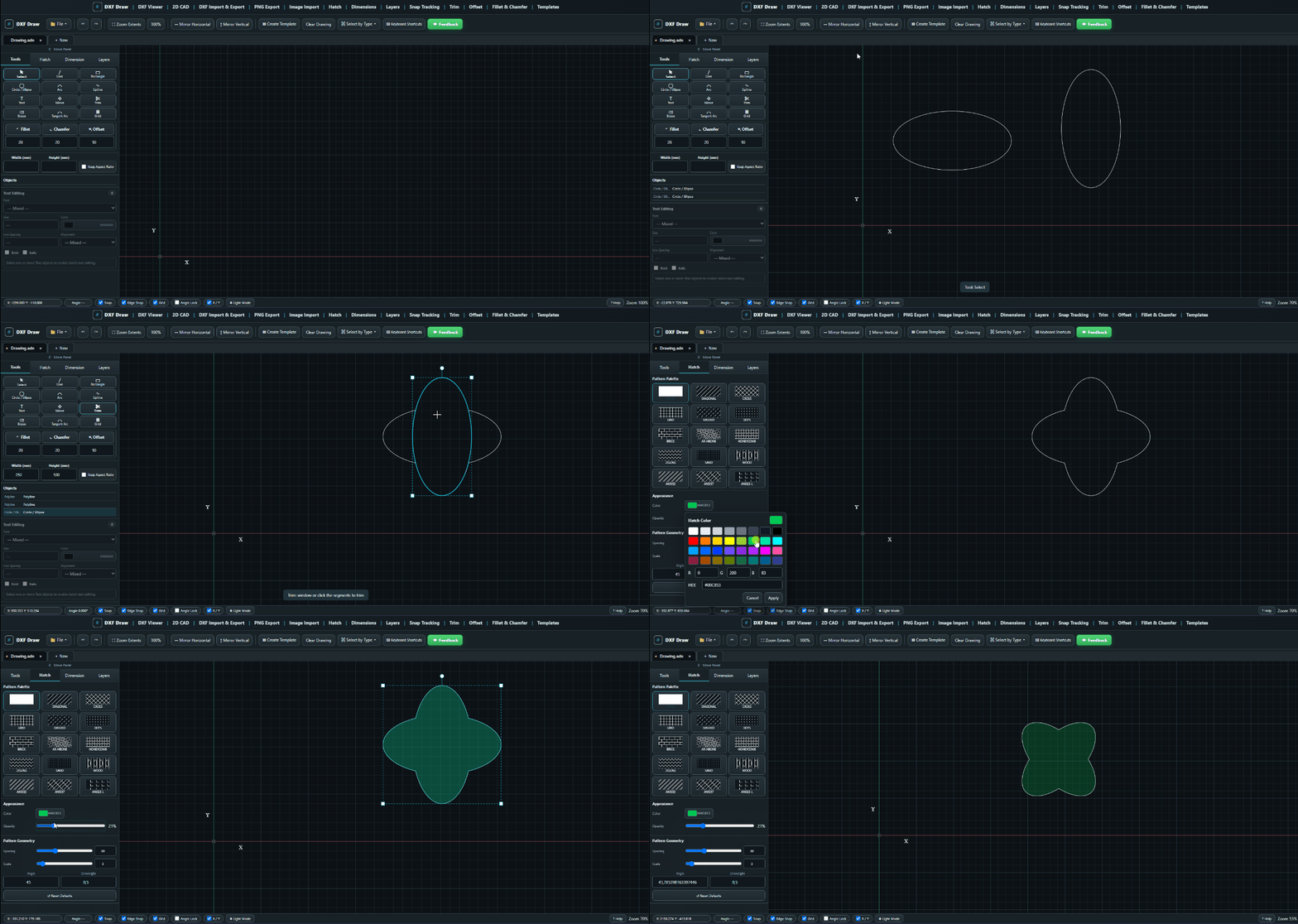
DXFDraw is built around real drawing workflows: create geometry, modify it and annotate it. When your work is complete, you can export your data as DXF, PNG or ADN files and import supported files again later when needed.
Open DXF drawings, inspect geometry and continue editing without installing desktop CAD software.
Line, Rectangle, Circle, Arc, Polyline and Spline tools for precise browser-based drafting.
Move, Rotate, Mirror, Scale, Trim, Offset, Fillet, Chamfer and Explode with a CAD-style workflow.
Point and edge snapping, angle locking and tracking guides help place geometry accurately.
Linear, Aligned, Angular, Radius and Diameter dimensions plus Leader annotations.
Apply hatch patterns to closed regions with adjustable pattern, angle, scale and appearance.
Organize drawing entities into layers and control their visual properties from one workspace.
Bring reference images into the drawing area and resize or position them alongside CAD geometry.
Export CAD geometry as DXF or create clean PNG output for documentation and communication.
Create technical title blocks and reusable drawing templates for a consistent professional output.
Save editable DXFDraw project data in the native ADN format and reopen it later for continued work.
A focused dark interface designed to keep drawing geometry and technical information readable.
No installer, no lengthy setup and no account wall. Open the application and start working.
Launch DXFDraw and import a DXF file, open an ADN project or start with an empty drawing.
Draw, trim, offset, fillet, chamfer, hatch, dimension, organize layers and refine geometry.
Save the editable project or export supported drawing geometry back to DXF for the next stage of your workflow.
DXFDraw currently runs as a browser-based CAD application without an account system or cloud drawing library. Drawing files are opened and processed by the application in your browser rather than being uploaded to a DXFDraw drawing-storage service.
See our Privacy Policy for details.
DXFDraw can be used from DXFDraw.com without any fee or membership requirement.
No. DXFDraw runs in a modern desktop web browser. Open the application and start drawing.
Yes. DXFDraw supports DXF import and exports supported CAD geometry back to DXF. The native ADN project format preserves DXFDraw-specific project information for continued editing.
The application includes drawing tools, Trim, Offset, Fillet, Chamfer, Explode, Hatch, Layers, Snap/Tracking, dimensions, templates, image import and more.
No. Your drawings are not transferred to a DXFDraw cloud storage system. Drawing import and export operations are handled through the browser application. See the Privacy Policy for current data-handling details.
DXFDraw is designed primarily for desktop browsers where a mouse, keyboard and larger drawing area provide the best CAD experience.
DXF (Drawing Exchange Format) is a CAD exchange format used to move drawing data between design, engineering and manufacturing applications. It is widely used for 2D geometry and technical workflows where drawings need to travel between different software.
DXF files are commonly used to exchange lines, arcs, circles, polylines, text and other CAD information between CAD, CAM, CNC, laser-cutting and fabrication workflows.
Use compatible CAD software or a DXF viewer. DXFDraw provides a free online DXF viewer and browser-based editing tools for supported DXF content.
DXF is designed for drawing exchange, while DWG is AutoCAD's native drawing format. If you need another target format, see our DXF converter guide and DXF vs DWG comparison.
Want the detailed answer? Read the full guide covering the DXF file format, file structure, common uses, DXF vs DWG, conversion and typical DXF problems.
Read the complete DXF guide → Open a DXF in DXFDraw ↗Learn the format, open a file in the browser, or go directly to the free online DXF viewer.
Open the CAD workspace in your browser and start working with DXF geometry now.